 LoreRoad
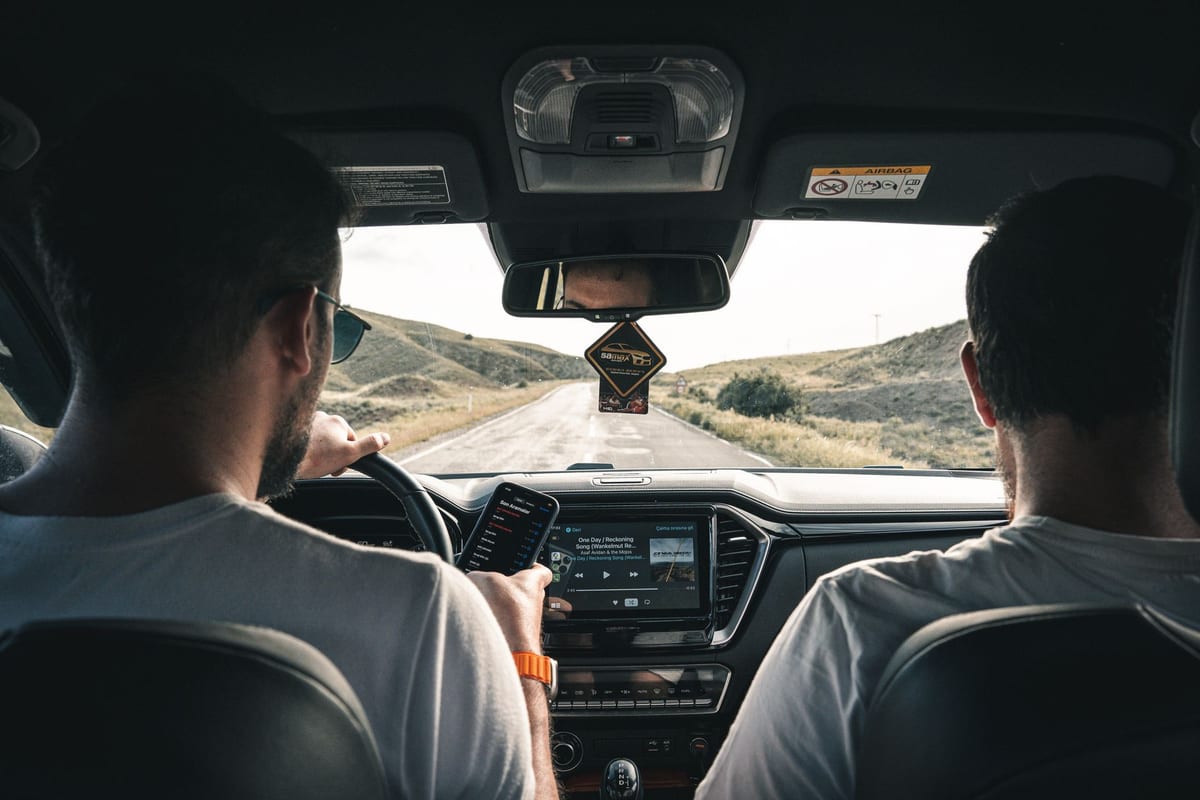 Photo by M.Emin BİLİR · CC Pexels License undefined
How can an audio road‑trip guide actually reduce distracted driving?
What the research really says about audio vs. screen use while driving — plus exactly how to set up a narrated, location-aware guide for safety.
Your phone keeps lighting up. Your eyes keep leaving the road.
You’re following a map, a kid asks a question, a ping lands, and that tiny rectangle steals another glance. You want stories for the drive, not screen time.
Here’s the short version from the research: audio-first interfaces cut visual‑manual distraction. They don’t erase cognitive load, so design and setup still matter. Let’s make this practical.
Do audio guides make driving safer than using phones with on‑screen tasks?
Multiple controlled studies show that auditory‑only guidance reduces eyes‑off‑road time compared with visual or visual‑manual systems. A meta‑review and simulator work report fewer and shorter off‑road glances with audio‑only navigation than with screens or screen+audio combos (ScienceDirect). A U.S. DOT evaluation found auditory tasks led to "hardly any glance time" in certain track scenarios compared with visual/manual input (BTS/DOT).
Voice input helps move interaction off your hands and eyes. In experiments comparing speech to touch for music and navigation tasks, speech cut total eyes‑off‑road time and long glances, though it still carried cognitive load that can affect performance if overcomplicated (NCBI). The Insurance Institute for Highway Safety says the same: voice systems often keep eyes forward more than manual entry, but unreliable recognition and multi‑step confirmations push drivers back to the screen (IIHS).
So yes: audio‑first beats screen‑first on visual‑manual distraction metrics. But good audio design and minimal interaction are the difference between helpful narration and mental clutter.
What features in an audio app actually minimize distraction?
If you’re comparing apps (or building one), look for these decisions backed by driver‑distraction research and guidance:
- Audio‑first delivery with minimal need to look down. The more you can do by ear, the less total eyes‑off‑road time (TEORT) you rack up (ScienceDirect).
- Reliable, low‑friction voice control. Speech beats touch on glance metrics, but only if recognition is accurate and commands are short; flaky voice UX sends people back to the screen (NCBI; IIHS).
- Short, well‑timed prompts. Research on navigation prompt timing shows that concise, early‑enough—but not too early—audio reduces glance counts and improves reaction times and lane keeping compared with visual‑only or poorly timed prompts (ScienceDirect).
- Hands‑free playback and clear passenger controls. NHTSA’s visual‑manual guidelines prioritize eliminating tasks that need prolonged visual or manual interaction while driving. If a tour forces taps to advance, that’s a problem (NHTSA).
- No long stories during complex maneuvers. Geotagged narration should avoid multi‑minute segments right before interchanges or intersections. Break content into bite‑size clips and schedule them for low‑demand stretches (NCBI).
- Clear audio mixing and volume consistency. If the narration is too quiet, you’ll touch the phone. If it masks sirens, it’s unsafe. Keep prompts crisp and avoid overlapping critical ambient cues (NHTSA).
If you want a concrete safety yardstick, researchers often track single glances over 2 seconds and TEORT. Long glances correlate with higher crash risk proxies; designs should keep drivers below that 2‑second threshold (NHTSA).
How should a driver set up a narrated guide for safety?
Treat this like cockpit prep. Do it once; enjoy every mile.
- Mount the phone within easy peripheral view. No laps, no cup holders. If you must glance, keep it short and shallow.
- Pair to the car’s audio. Use Bluetooth or built‑in phone integration so narration is clear without fiddling with volume mid‑drive.
- Enable Do Not Disturb While Driving. Silence notifications so your story doesn’t share the stage with pings.
- Start the tour before rolling. Load your route, pick the voice, and preview the first minute parked. No tapping at 65 mph.
- Pick audio‑first, location‑aware narration. Let the car move the story forward automatically rather than forcing “next” buttons.
- Delegate. Give a passenger the “tablet of power” for any extra browsing, volume tweaks, or skipping.
- Use voice for in‑drive questions. Short commands, clear confirmations.
- Keep narration concise. If the app lets you choose prompt length or verbosity, pick brief mode for city driving and expand it on open highway.
- Plan kid content up front. Set filters and queue games before you shift to Drive.
If you’re trying LoreRoad, it reads location‑aware facts out loud so the driver keeps eyes on the road, and its AI co‑pilot, Lore, answers by voice or tap and replies out loud. You can see how the location‑triggered facts work on the Facts page, and meet the voice assistant on Lore. Passengers getting restless? Hand them the Games library so the driver stays hands‑free.
Isn’t narration… distracting? What about cognitive load?
You’re right to ask. Audio trades visual‑manual load for auditory‑cognitive load. That’s good for eyes‑on‑road metrics, but it’s not an excuse to drone on. The research shows that:
- Speech beats touch for eyes‑off‑road time, but complex, error‑prone voice systems still drag on performance (NCBI; IIHS).
- Well‑timed, concise audio prompts improve reaction time and lane keeping on complex roads versus visual‑only guidance. Timing and brevity matter more than fancy UI (ScienceDirect).
- Standards bodies focus on keeping glance durations short and limiting total eyes‑off‑road time; use those metrics to sanity‑check design or app choice (NHTSA).
For tours, the fix is simple: segment narration; schedule it away from interchanges; give drivers a “brief mode”; and let passengers handle any extras.
Is there research comparing audio tours to map apps for distraction?
We don’t have a giant naturalistic driving dataset that proves fewer crashes with audio tours than with map apps. Literature searches surface simulator and controlled experiments on glance behavior and reaction time, not definitive crash‑risk epidemiology for audio tours versus screens (PubMed).
What we do have are well‑established metrics and repeated findings:
- Audio‑only guidance cuts eyes‑off‑road time versus visual or visual‑manual navigation (ScienceDirect; BTS/DOT).
- Speech interactions reduce long glances compared to touch, with caveats about cognitive load and error handling (NCBI; IIHS).
- Researchers frequently use the 2‑second single‑glance threshold and TEORT to evaluate safety performance, including for audio designs (NHTSA).
- Narration timing and phrasing change outcomes: well‑timed audio prompts can produce shorter reaction times and fewer errors than visual‑only prompts on complex roads (ScienceDirect).
So while no crash‑risk scoreboard crowns a universal winner, the ingredients for safer attention management point toward audio‑first, voice‑forward, concise, and well‑timed narration.
Common design traps that spike distraction (and how to avoid them)
You’ll recognize these from real‑world tour apps. They all nudge drivers back to the glass:
- Long stories triggered at the worst time. Multi‑minute segments that start right before an exit. Fix: push long clips to low‑demand stretches and keep intersection‑adjacent prompts short (NCBI).
- Tap to continue. Requiring manual advancement during motion. Fix: support auto‑advance and passenger controls, aligned with visual‑manual guidelines (NHTSA).
- Unreliable voice recognition and unclear confirmations. Drivers repeat commands, then peek to see if it worked. Fix: tight command sets, crisp confirmations (IIHS).
- Overlapping audio. Narration drowning out sirens or nav chimes. Fix: smart ducking and volume norms (NHTSA).
- UI that begs to be watched. Progress bars and visual candy as the primary feedback. Fix: treat visuals as optional; rely on spoken state.
LoreRoad keeps the focus on the road by reading location‑aware stories aloud and letting you ask Lore questions by voice. Want a preview of how it feels without installing anything? The site offers a free New York to California demo trip in the browser, and you can skim the route on the Map.
Quick pre‑drive checklist you can screenshot
- Mount phone; pair car audio; enable Do Not Disturb While Driving
- Open your tour; pick brief mode; preview first 30 seconds parked
- Confirm voice commands for play/pause/skip work as expected
- Hand a passenger the phone for backup and bonus browsing
- Pack kid‑friendly content and games before you go
Ready to try it safely? Start parked, set voice control, and press play on a short segment, then roll.
Common questions
Do audio tours make driving safer than using a phone screen?
Audio‑first guidance reduces visual‑manual distraction compared with screen‑based input and visual maps, with studies showing fewer and shorter off‑road glances for audio‑only systems. Voice control also cuts long glances versus touch, though it still carries cognitive load. See [ScienceDirect], [NCBI], and [IIHS] above.
What’s the safety benchmark researchers use for glances?
A common yardstick is single off‑road glances longer than 2 seconds and total eyes‑off‑road time (TEORT). Designs aim to keep glances under that threshold. See [NHTSA] above.
Is there definitive crash data proving audio tours reduce risk vs. map apps?
No large epidemiological study isolates crash‑risk reduction for audio tours versus map apps. Evidence comes from controlled and simulator studies on glances and reaction time. See [PubMed] above.
How should I set up an audio tour for the driver?
Mount the phone, pair car audio, enable Do Not Disturb While Driving, start the tour parked, use voice for commands, keep narration brief in busy areas, and let a passenger handle extras.
LoreRoad tells you the history behind every mile — surfaced as you reach it and read aloud, so the driver never looks down.
Get the appSources (9)
- Facilitating route memory with auditory route guidance systems (ScienceDirect)
- Evaluation of Different Speech and Touch Interfaces to In-Vehicle Music Retrieval Systems (PMC)
- IIHS: Voice systems can reduce some types of distraction
- NHTSA: Text reading and text input assessment in support of the NHTSA Visual-Manual Driver Distraction Guidelines
- Influence of prompt timing and messages of an audio navigation system on driver behavior on an urban expressway with five exits (ScienceDirect, 2021)
- NHTSA Human Factors program area page (includes links to visual-manual guideline documents)
- Narrative practices on cultural heritage with innovative technologies (PMC) — discussion of GPS audio tour practices (e.g. VoiceMap)
- Effect of selected in-vehicle route guidance systems on driver reaction times (PubMed) — example of experimental evidence; no large-scale crash study found
- In-Vehicle Voice Control Interface Evaluation: Preliminary Driver Workload and Risk Analysis (U.S. DOT / ROSAP)